
Running multiple client accounts, managing deadlines, responding to emails, and staying organized can quickly become overwhelming for virtual assistants. In 2026, successful VAs rely on powerful digital tools to streamline tasks, improve communication, and deliver better results for clients.
Whether you’re a beginner virtual assistant or an experienced freelancer, using the right tools can save hours of work every week and help you grow your business efficiently.
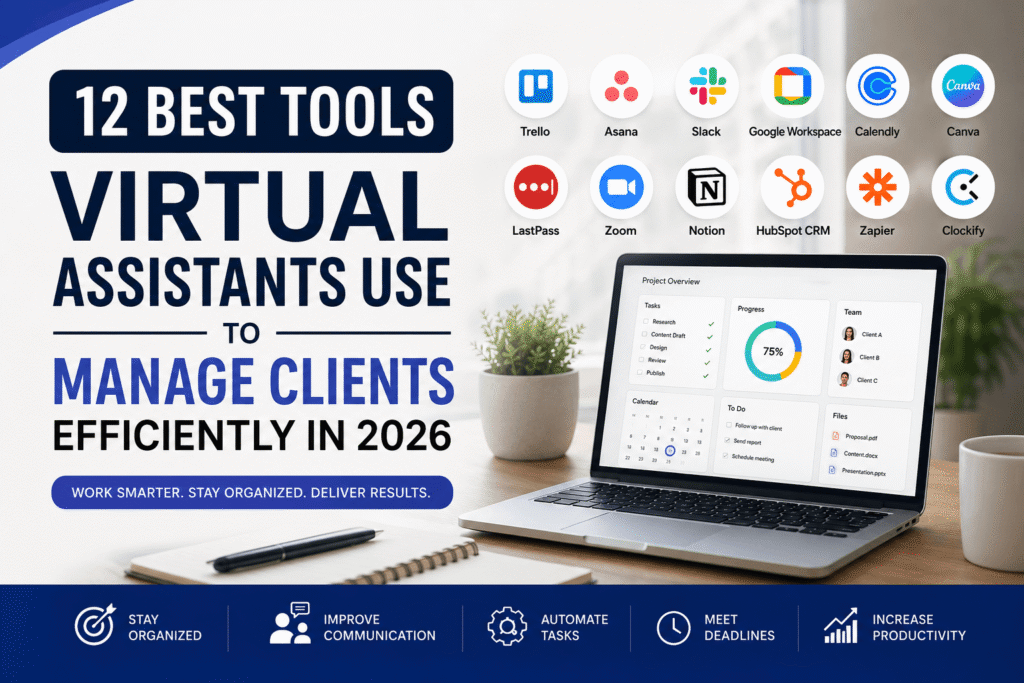
In this guide, we’ll explore the 12 best tools virtual assistants use to manage clients efficiently in 2026, including project management software, communication platforms, automation tools, and productivity apps.
Why Virtual Assistants Need Productivity Tools
Virtual assistants often juggle multiple responsibilities such as:
- Managing emails
- Scheduling appointments
- Handling customer support
- Organizing files
- Managing social media
- Tracking projects
- Coordinating with teams
Without proper systems in place, tasks can become disorganized and stressful. Productivity tools help virtual assistants:
- Stay organized
- Improve client communication
- Automate repetitive tasks
- Meet deadlines consistently
- Increase efficiency
- Scale their services
Using the right software also creates a more professional experience for clients.
1. Trello – Best for Simple Project Management


One of the most popular tools for virtual assistants is Trello. It uses a simple Kanban board system that helps organize tasks visually.
Key Features:
- Drag-and-drop task management
- Due dates and reminders
- Client collaboration
- Checklists and labels
- Workflow automation
Why Virtual Assistants Love It
Trello is beginner-friendly and perfect for managing multiple clients without feeling overwhelmed.
Best For:
- Task tracking
- Content planning
- Daily workflows
- Client collaboration
Visit Trello
2. Asana – Best for Managing Multiple Client Projects


Asana is ideal for virtual assistants handling larger projects and teams.
Key Features:
- Project timelines
- Task assignments
- Workflow automation
- Team collaboration
- Calendar views
Benefits:
Asana helps virtual assistants track deadlines and improve accountability with clients.
Best For:
- Agency-style VA work
- Team collaboration
- Large client projects
Visit Asana
3. Slack – Best Communication Tool for Virtual Assistants


Clear communication is essential for successful client relationships. Slack makes communication faster and more organized.
Key Features:
- Organized channels
- Voice and video calls
- File sharing
- Integrations with productivity tools
- Instant messaging
Why It’s Helpful:
Instead of endless email threads, clients and VAs can communicate in real time.
Best For:
- Remote teams
- Daily communication
- Fast updates
Visit Slack
4. Google Workspace – Best All-in-One Productivity Suite


Google Workspace remains one of the most essential tools for virtual assistants in 2026.
Included Tools:
- Gmail
- Google Docs
- Google Sheets
- Google Drive
- Google Meet
- Google Calendar
Benefits:
Virtual assistants can collaborate with clients in real time and access files anywhere.
Best For:
- File sharing
- Scheduling
- Document management
Visit Google Workspace
5. Calendly – Best Scheduling Tool for Client Meetings


Scheduling meetings manually wastes valuable time. Calendly automates the booking process.
Key Features:
- Automated scheduling
- Time zone detection
- Calendar integrations
- Appointment reminders
- Booking links
Why It Matters:
Clients can book meetings instantly without back-and-forth emails.
Best For:
- Discovery calls
- Client onboarding
- Appointment management
Visit Calendly
6. Canva – Best Design Tool for Virtual Assistants


Many virtual assistants now offer graphic design and social media support. Canva makes design easy even for beginners.
Key Features:
- Drag-and-drop editor
- Social media templates
- Presentation tools
- Brand kits
- AI-powered design tools
Best For:
- Social media graphics
- Marketing materials
- Client presentations
Visit Canva
7. LastPass – Best Password Management Tool
Keeping client accounts secure is critical.
Key Features:
- Secure password storage
- Password sharing
- Multi-device access
- Security monitoring
Why VAs Use It:
Virtual assistants often manage multiple client accounts. LastPass helps store credentials safely.
Best For:
- Secure login management
- Team password sharing
Visit LastPass
8. Zoom – Best Video Conferencing Tool


Virtual meetings remain an important part of remote work in 2026.
Key Features:
- HD video meetings
- Screen sharing
- Meeting recording
- Breakout rooms
- Webinar features
Best For:
- Client meetings
- Team collaboration
- Online presentations
Visit Zoom
9. Notion – Best Workspace for Organizing Information


Notion combines notes, databases, project management, and collaboration in one platform.
Key Features:
- Custom dashboards
- Knowledge bases
- Task management
- Client portals
- Notes and documentation
Best For:
- Organizing workflows
- SOP documentation
- Client management
Visit Notion
10. HubSpot CRM – Best Client Relationship Management Tool


HubSpot helps virtual assistants organize client information and communication history.
Key Features:
- Contact management
- Email tracking
- Sales pipelines
- Task reminders
- Client activity logs
Best For:
- Lead management
- Client communication
- Business organization
Visit HubSpot
11. Zapier – Best Automation Tool for Virtual Assistants
Automation saves virtual assistants hours of repetitive work.
Key Features:
- Connects thousands of apps
- Automated workflows
- No-code automation
- Task triggers
Example Automations:
- Save email attachments automatically
- Create tasks from form submissions
- Send reminders instantly
Best For:
- Workflow automation
- Repetitive task reduction
Visit Zapier
12. Clockify – Best Time Tracking Tool


Time tracking helps virtual assistants monitor productivity and bill clients accurately.
Key Features:
- Time tracking
- Timesheets
- Productivity reports
- Billable hours tracking
Best For:
- Freelancers
- Hourly billing
- Productivity monitoring
Visit Clockify
How to Choose the Right Virtual Assistant Tools
Not every tool will fit your workflow. When choosing tools, consider:
Your Services
Choose tools based on the services you offer, such as:
- Social media management
- Customer support
- Project management
- Email marketing
Budget
Many tools offer free plans suitable for beginner virtual assistants.
Ease of Use
Pick tools that are easy to learn and use daily.
Client Requirements
Some clients already use specific platforms, so flexibility is important.
Using the best tools virtual assistants use to manage clients efficiently can dramatically improve productivity, organization, and client satisfaction in 2026.
From project management platforms like Trello and Asana to automation tools like Zapier, these tools help virtual assistants work smarter and deliver better results.
If you’re building a successful VA business, investing time in learning these platforms can give you a competitive advantage and help you manage clients professionally.
Frequently Asked Questions
What tools do most virtual assistants use?
Most virtual assistants use tools like Trello, Slack, Google Workspace, Canva, Zoom, and Calendly for project management, communication, scheduling, and productivity.
Which tool is best for managing multiple clients?
Asana, Trello, and Notion are excellent for managing multiple clients because they help organize projects and deadlines efficiently.
Are free virtual assistant tools enough for beginners?
Yes. Many platforms offer free plans that are ideal for beginner virtual assistants starting their freelance business.
What is the best automation tool for VAs?
Zapier is one of the best automation tools because it connects multiple apps and automates repetitive workflows.
Pingback: 7 Signs It’s Time to Hire a Virtual Assistant for Your Business - Business VA Hub